
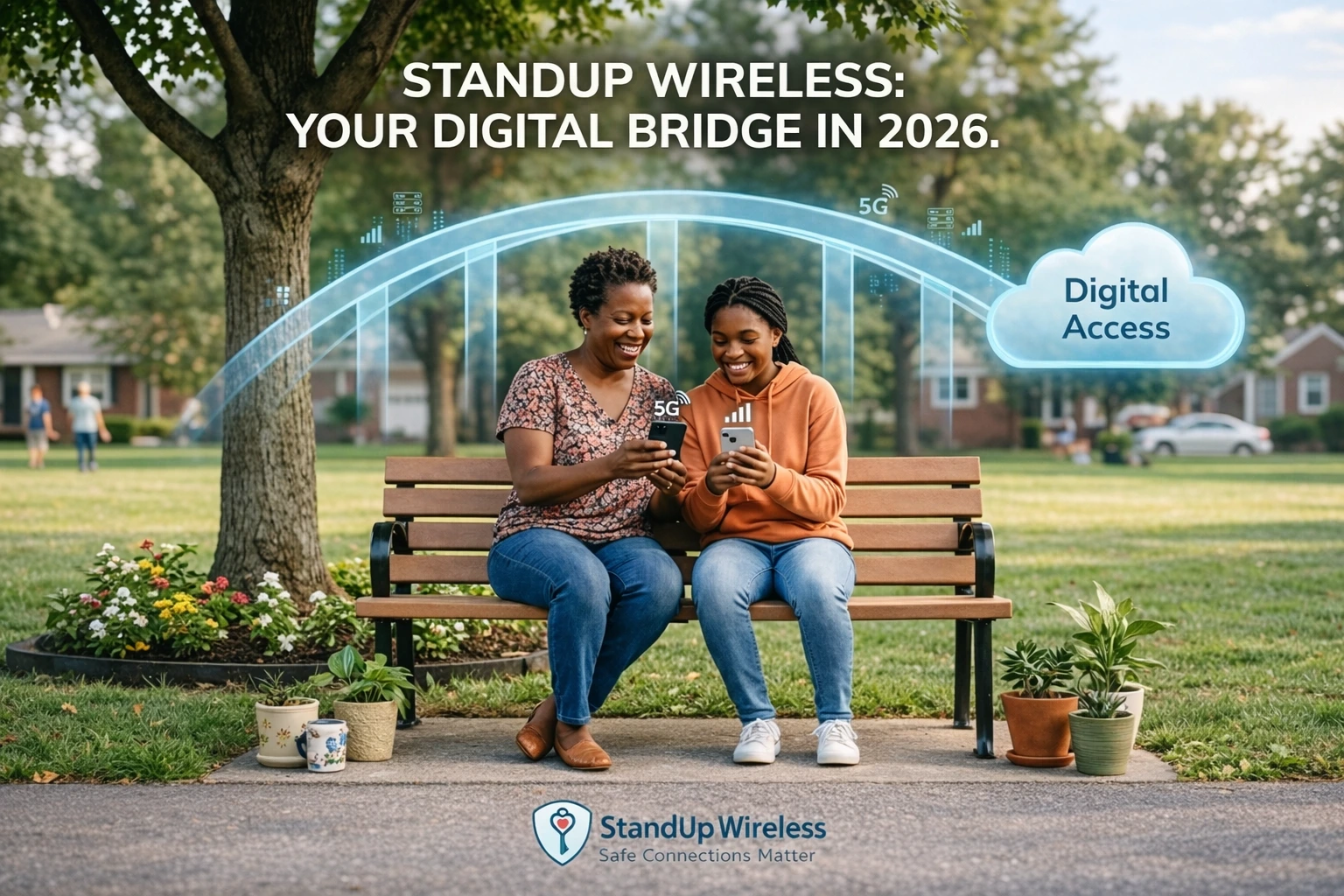
StandUp Wireless offers a $0 monthly Lifeline phone plan to eligible customers in supported areas.
The current nationwide offer includes:
- 1,000 talk minutes
- Unlimited texts
- 4.5GB of data
- 5G network access
- Mobile hotspot use
- Wi-Fi calling
- No monthly contract
You can also bring your own compatible phone and keep your number.
But there is an important point.
StandUp Wireless currently promises free Lifeline service. It does not promise every applicant a free smartphone.
Device offers can change. Your ZIP code can also change what is available.
This guide explains what StandUp Wireless offers in 2026, who can qualify, how to apply, how BYOD works, what extra data costs, and what you should check before you enroll.
StandUp Wireless at a Glance
| Feature | Current StandUp Wireless Offer |
|---|---|
| Program | Federal Lifeline |
| Monthly price | $0 in eligible areas |
| Talk | 1,000 minutes |
| Texts | Unlimited |
| Data | 4.5GB |
| 5G access | Yes |
| Mobile hotspot | Yes |
| Wi-Fi calling | Yes |
| BYOD | Yes |
| Keep your number | Yes |
| Physical SIM | Yes |
| eSIM | Available during supported enrollment |
| Contract | No |
| Extra data | Available as paid top-ups |
| Lifeline limit | One benefit per household |
Offers can vary by state.
Always enter your ZIP code before you apply.
Source: StandUp Wireless Lifeline Program and Help Center. [1][2]
What Is StandUp Wireless?
StandUp Wireless is a wireless company run by Global Connection Inc. of America.
It provides Lifeline-supported phone service in approved areas.
Lifeline is a federal program.
It helps eligible households lower the monthly cost of phone or internet service.
The Federal Communications Commission sets Lifeline rules. The Universal Service Administrative Company, or USAC, manages the program.
StandUp Wireless is the phone company.
It is not the FCC, USAC, or a government agency.
This difference matters.
Lifeline gives eligible households a service benefit. StandUp Wireless decides which plans and device options it offers with that benefit.
Source: StandUp Wireless Terms and Conditions; USAC Lifeline Support. [3][4]
Is StandUp Wireless Legit?
Yes.
StandUp Wireless provides Lifeline-supported wireless service through Global Connection Inc. of America.
Its current website offers a Lifeline plan in supported ZIP codes.
The company also has:
- Published terms and conditions
- A coverage checker
- Customer support
- A BYOD checker
- Phone-number transfer support
- Lifeline enrollment
- Account tools
- Consumer disclosures
StandUp Wireless also describes itself as a mobile virtual network operator, or MVNO.
That means it does not own the full nationwide wireless network.
It uses an underlying national carrier’s network to provide service.
What Network Does StandUp Wireless Use?
StandUp Wireless says its service runs on America’s largest 5G network.
However, its current broadband disclosure does not name the underlying carrier.
Instead, it describes the network owner as a leading nationwide wireless provider.
For that reason, it is safer to use StandUp’s own coverage checker than to assume which carrier will give you service.
Coverage can change from one location to another.
Buildings, hills, trees, network traffic, and distance from towers can also affect your signal.
Check coverage before you enroll
Look at service where you spend the most time.
Check:
- Your home
- Workplace
- School
- Doctor’s office
- Regular travel routes
A $0 plan is useful only if the service works where you need it.
Source: StandUp Wireless Broadband Transparency Disclosure. [5]
What Does the StandUp Wireless Lifeline Plan Include?
StandUp’s current nationwide Lifeline page shows the following plan:
StandUp Wireless $0 Lifeline Plan
Monthly price: $0
Talk: 1,000 minutes
Texts: Unlimited
Data: 4.5GB
The company says offers can vary by state.
Some states may have different plans.
StandUp also lists several features across its wireless plans.
They include:
- 5G network access
- Mobile hotspot
- Wi-Fi calling
- Caller ID
- Call waiting
- Voicemail
- Nationwide long distance
- Three-way calling
Using your phone as a hotspot uses data from your monthly data amount.
Unused monthly data does not roll over.
Sources: StandUp Wireless Lifeline Program and Account & Billing FAQ. [1][6]
Is StandUp Wireless Really Free?
The standard Lifeline plan can cost $0 per month if you qualify and the offer is available in your area.
But “free” does not mean every product or service costs nothing.
You may pay if you want:
- More data
- More talk minutes
- Another prepaid line
- A replacement device
- Optional services
- A different phone
StandUp currently lets customers buy extra talk and data.
Current StandUp Wireless Top-Ups
| Price | Data | Talk | Texts |
|---|---|---|---|
| $5 | 1GB | 100 minutes | Unlimited |
| $6 | — | Unlimited | Unlimited |
| $10 | 3GB | 500 minutes | Unlimited |
| $15 | 5GB | 500 minutes | Unlimited |
| $20 | 8GB | 500 minutes | Unlimited |
Top-up offers can change.
Check your account for the current price before buying.
Source: StandUp Wireless Add Minutes & Data. [7]
Does StandUp Wireless Give You a Free Phone?
Do not assume that it does.
This is one of the biggest updates needed in older StandUp Wireless guides.
StandUp’s current nationwide Lifeline page promotes:
- Free monthly talk
- Free text service
- Free data
- Bring Your Own Phone
- Keep Your Number
It does not clearly promise every approved customer a free smartphone.
Current enrollment pages say that, after approval, StandUp may ship a physical SIM or send eSIM activation instructions.
That means the safest wording in 2026 is:
StandUp Wireless offers free Lifeline phone service. A free handset should only be expected if your actual enrollment offer clearly includes one.
Some older StandUp documents mention free handsets.
Device offers may also still exist in certain states or programs.
But do not promise a free Samsung, Motorola, iPhone, Vortex, or other model unless StandUp shows that exact offer during enrollment.
What Phones Does StandUp Wireless Use?
StandUp’s support pages contain manuals for several devices.
Examples include:
- Vortex Beat 8
- Vortex SynQ
- Vortex SynC
- BLU C5L
- Vortex MUV
- SKY Elite B55
- SKY Elite H5
- SKY Elite C5
That tells us StandUp supports or has supported these devices.
It does not mean you are guaranteed one of them when you apply.
Phone inventory can change.
If your application shows a device, read the details before you finish enrollment.
Source: StandUp Wireless Device Manuals. [8]
Can You Bring Your Own Phone?
Yes.
StandUp Wireless supports Bring Your Own Device, or BYOD.
This may be the best option if you already own a phone you like.
Most unlocked GSM 4G LTE and 5G phones may work.
But you should check the device first.
StandUp has an IMEI checker.
How to find your IMEI
A quick way is to dial:
*#06#
Your phone should show its IMEI number.
You can also find it in your phone settings.
Your phone should be:
- Unlocked
- Compatible with StandUp’s network
- Able to accept the correct SIM or eSIM
- In working condition
A phone showing on a general compatibility list does not always mean it will work.
Use the IMEI checker for the final result.
Source: StandUp Wireless Devices & Setup FAQ. [9]
Does StandUp Wireless Support eSIM?
Yes, StandUp’s current Lifeline application pages say approved users may receive either:
- A physical SIM card, or
- eSIM activation instructions
This is an important change from older guides that said StandUp was physical-SIM only.
eSIM support may still depend on your phone and enrollment offer.
Your phone must support eSIM.
Can You Keep Your Current Phone Number?
Yes.
StandUp lets users transfer an existing phone number.
This is called porting.
Before you start, keep your old phone service active.
You may need:
- Account holder’s name
- Current phone number
- Account number
- Account PIN or password
- Billing address
Do not cancel your old plan before the transfer is complete.
StandUp says you can call customer service for help with number transfers.
Source: StandUp Wireless Bring Your Phone and Number. [10]
Who Qualifies for StandUp Wireless Lifeline?
You must first qualify for Lifeline.
There are two main ways.
Option 1: Qualify Through a Benefit Program
You may qualify if you or your child or dependent takes part in an approved program.
Common programs include:
- SNAP
- Medicaid
- Supplemental Security Income
- Federal Public Housing Assistance
- Veterans Pension and Survivors Benefit
Certain Tribal programs can also qualify.
Those include:
- Bureau of Indian Affairs General Assistance
- Tribal TANF
- Certain Tribal Head Start households
- Food Distribution Program on Indian Reservations
You only need one valid path.
Option 2: Qualify Through Income
Your household may qualify if its income is 135% or less of the Federal Poverty Guidelines.
2026 Lifeline Income Limits
| Household Size | 48 States, D.C. & Territories | Alaska | Hawaii |
|---|---|---|---|
| 1 | $21,546 | $26,933 | $24,786 |
| 2 | $29,214 | $36,518 | $33,602 |
| 3 | $36,882 | $46,103 | $42,417 |
| 4 | $44,550 | $55,688 | $51,233 |
| 5 | $52,218 | $65,273 | $60,048 |
| 6 | $59,886 | $74,858 | $68,864 |
| 7 | $67,554 | $84,443 | $77,679 |
| 8 | $75,222 | $94,028 | $86,495 |
For each extra household member, add:
- $7,668 in the 48 states, D.C., and territories
- $9,585 in Alaska
- $8,816 in Hawaii
These figures are based on 135% of the 2026 Federal Poverty Guidelines.
Source: USAC Lifeline Support, 2026. [11]
Does EBT Qualify for StandUp Wireless?
SNAP can qualify you for Lifeline.
People often search for a StandUp Wireless free phone with EBT.
The key point is SNAP participation.
An EBT card is simply the card used to access benefits.
If your EBT card is linked to SNAP, your SNAP participation can be a Lifeline eligibility path.
SNAP itself does not provide the phone or wireless service.
Does Medicaid Qualify?
Yes.
Medicaid is a standard Lifeline qualifying program.
If you receive Medicaid, you may be able to qualify for StandUp Wireless without using the income test.
The system may confirm your benefits.
If it cannot, you may be asked for proof.
Does SSI Qualify?
Yes.
Supplemental Security Income qualifies.
Do not confuse SSI with SSDI.
SSDI alone is not listed as a standard program-based Lifeline qualification.
A person on SSDI may still qualify through income or another eligible program.
What Documents Do You Need?
You may not need to upload documents if Lifeline can confirm your information.
If it cannot, you may be asked for proof.
Proof of program participation
A document should generally show:
- Your name or dependent’s name
- Name of the qualifying program
- Name of the agency or program administrator
- A date within the last 12 months or a future expiration date
Examples include:
- Benefit award letter
- Statement of benefits
- Benefit verification letter
- Screenshot from a government benefit portal
Proof of income
Examples can include:
- Prior year’s tax return
- Current income statement
- Social Security benefit statement
- Unemployment statement
- Workers’ compensation statement
- Three months of recent pay stubs
Do not upload more personal data than required.
Follow the instructions shown in the official application.
Source: USAC Acceptable Documentation Guide. [12]
How to Apply for StandUp Wireless
The process is fairly simple.
Step 1: Check Your ZIP Code
Start on StandUp Wireless.
Enter your ZIP code.
The site will tell you whether Lifeline service is offered in your area.
If Lifeline is not available, StandUp may show a prepaid option instead.
Do not confuse a prepaid plan with the Lifeline benefit.
Step 2: Start the Application
Enter your personal details.
Use your legal name.
Make sure your address and date of birth match official records.
Step 3: Pass Lifeline Verification
Your Lifeline eligibility may be checked through the National Verifier.
If more proof is needed, upload the requested document.
Do not assume approval is instant.
Some applications need more review.
Step 4: Choose Your Device Setup
Depending on the offer, you may:
- Bring your current phone
- Receive a physical SIM
- Use eSIM on a compatible phone
- See another device option during enrollment
Check everything before you finish.
Step 5: Activate Your Service
Follow the instructions sent with your SIM or eSIM.
StandUp also lets customers call 611 from an active StandUp phone for account and service help.
Can You Apply Directly Through Lifeline?
Yes.
USAC says there are three main ways to apply for Lifeline:
- Online
- With help from a participating company
- By mail
Applicants in Oregon and Texas use their state process.
After Lifeline confirms eligibility, you still need to choose a participating phone or internet company.
Source: USAC Lifeline Support. [13]
One Lifeline Benefit Per Household
Lifeline normally allows one benefit per household.
A household means people who live together and share income and expenses.
That is different from simply sharing an address.
Two roommates who live together but do not share money may be separate households.
In that case, the Lifeline Household Worksheet can help confirm the arrangement.
Do not apply for several Lifeline benefits for the same household.
You Must Use the Free Service
This rule is easy to miss.
If you do not pay out of pocket for your Lifeline service, you must use it at least once every 30 days.
If you do not use the service for 30 days, you can receive a notice.
You then have 15 days to use it.
If you still do not use the service, it may be turned off.
Using the service can include activities such as making a call, sending a text, or using data under the applicable program rules.
Source: USAC About Lifeline. [14]
Do You Need to Recertify?
Lifeline eligibility is checked each year.
USAC or your state may confirm that you still qualify.
If they can confirm it, you do not need to do anything.
If they cannot, you will receive a recertification request.
You then have 60 days to respond.
If you miss the deadline, you can lose the Lifeline benefit.
Source: USAC Recertification Guide. [15]
How Do You Check Your StandUp Wireless Balance?
You have several options.
StandUp says you can:
- Sign in to My Account
- Text #BAL to 5115
- Contact customer support
Your account can show your current plan and remaining balance.
Unused data and minutes do not normally carry into the next monthly period.
Source: StandUp Wireless Account & Billing FAQ. [6]
Can StandUp Wireless Phones Be Unlocked?
StandUp has a published phone unlocking policy.
For a free or discounted device supplied by StandUp, the current policy says customers generally need to keep StandUp service for at least six consecutive months before requesting unlock instructions.
A device that was fully purchased may have different rules.
The device must also meet the other conditions in the unlocking policy.
Do not assume a free device will arrive unlocked.
Source: StandUp Wireless Phone Unlocking Policy. [16]
What if Your Phone Has a Problem?
StandUp’s current device FAQ says the company does not operate its own device warranty program.
Customer support may help with basic troubleshooting.
For repair or replacement, you may need to contact the phone maker.
Before doing a factory reset, back up your photos, contacts, and other data.
A reset can erase everything on your device.
StandUp Wireless Customer Service
StandUp currently lists:
Phone: 1-800-544-4441
Phone support is listed as available 24 hours a day, seven days a week.
You can also dial 611 from a StandUp phone.
Live Chat
Live chat is listed as available seven days a week:
8:00 a.m. to 9:30 p.m. Eastern
or
5:00 a.m. to 6:30 p.m. Pacific
StandUp lists:
The company says its goal is to reply to general email questions within one business day.
Source: StandUp Wireless Help Center. [17]
StandUp Wireless Pros and Cons
What We Like
$0 monthly Lifeline option
Eligible customers can receive the basic plan without a monthly charge.
Unlimited texts
The standard national offer currently includes unlimited texting.
4.5GB data
That is enough for light web use, email, messaging, maps, and some apps.
5G access
StandUp includes access to its underlying 5G network.
Hotspot support
You can use hotspot features, but hotspot data comes from your monthly data amount.
BYOD
You can keep a compatible unlocked phone.
Keep your number
Number porting is supported.
Physical SIM and eSIM
Current enrollment pages mention both activation options.
No contract
StandUp says there is no monthly contract requirement.
What to Consider
Only 1,000 standard talk minutes
Heavy callers may need to buy more minutes.
4.5GB is not a lot for video
Streaming HD video can use several gigabytes quickly.
No data rollover
Unused data disappears when the monthly cycle ends.
Coverage varies
You should check your ZIP code before enrolling.
A free phone is not guaranteed
The current nationwide page focuses on free service and BYOD.
Free or discounted devices can have unlocking rules
StandUp currently requires six months of service in many cases before unlocking a subsidized phone.
Is 4.5GB of Data Enough?
It depends on how you use your phone.
4.5GB can work well for:
- Messaging
- Maps
- Job searches
- Light web use
- Banking apps
- Benefit portals
It may not be enough for heavy:
- YouTube use
- Netflix
- TikTok
- Video calls
- Large downloads
- Hotspot use
Wi-Fi can help save your mobile data.
You can also buy a top-up if you run out.
StandUp Wireless vs Other Lifeline Providers
StandUp can be a good choice if its network works well where you live.
But compare it with other providers before enrolling.
Look at:
| What to Compare | Why It Matters |
|---|---|
| Coverage | Most important factor |
| Talk minutes | StandUp currently gives 1,000 |
| Data | StandUp currently gives 4.5GB |
| BYOD | Useful if you own a good phone |
| eSIM | Useful for compatible newer devices |
| Free phone offer | Not guaranteed everywhere |
| Extra-data price | Important for heavy users |
| Support | Useful when activation goes wrong |
Do not choose a provider only because an ad shows a nice phone.
Coverage and monthly service matter more.
What Happened to Q Link Wireless?
Older articles may tell Q Link users that they were moved directly to StandUp Wireless.
That story is more complex.
The FCC suspended Q Link from Lifeline in November 2024.
The FCC then took emergency steps to protect former Q Link customers. Many affected subscribers were moved to T-Mobile’s Lifeline company, Assurance Wireless.
Separate regulatory records also show that StandUp Wireless assisted with some former Q Link customer transfers.
For a former Q Link customer in 2026, do not rely on an old transfer guide.
Check which company currently holds your Lifeline service.
If needed, contact USAC or the provider directly.
Source: Federal Communications Commission. [18]
Is ACP Still Available Through StandUp Wireless?
No.
The federal Affordable Connectivity Program ended in June 2024.
Some older StandUp pages and documents may still mention ACP.
Those pages should not be used as proof that ACP is open today.
Lifeline remains active.
ACP and Lifeline were separate programs.
Frequently Asked Questions
Is StandUp Wireless free?
StandUp currently offers a $0 monthly Lifeline plan in eligible areas. Its national plan lists 1,000 talk minutes, unlimited texts, and 4.5GB of data.
Does StandUp Wireless give a free phone?
Do not assume so. Its current nationwide Lifeline page promises free monthly service and supports BYOD. A free handset should only be expected if your actual enrollment offer says one is included.
What network does StandUp Wireless use?
StandUp says it uses a major nationwide carrier’s network and advertises access to America’s largest 5G network. Its current broadband disclosure does not name the underlying carrier.
Does StandUp Wireless have unlimited data?
The standard national Lifeline plan currently lists 4.5GB of data. Do not describe that plan as unlimited high-speed data.
Does StandUp Wireless have unlimited talk?
The standard nationwide offer currently lists 1,000 talk minutes. Some state plans may differ.
Does StandUp Wireless have unlimited texts?
Yes. Its current standard Lifeline offer includes unlimited texts.
Can I use my own phone?
Yes. Most compatible unlocked GSM 4G LTE or 5G phones may work. Use StandUp’s IMEI checker before enrolling.
Does StandUp Wireless support eSIM?
Current enrollment pages say physical SIM and eSIM activation options are available. Your phone and offer must support eSIM.
Can I keep my current number?
Yes. StandUp supports phone-number transfers.
Does SNAP qualify?
Yes. SNAP is a standard Lifeline qualifying program.
Does Medicaid qualify?
Yes.
Does SSI qualify?
Yes.
Does SSDI qualify?
SSDI alone is not one of the standard federal program-based Lifeline qualifications. You may still qualify through income or another eligible program.
How much extra data can I buy?
Current top-ups start at $5. Packages range from 1GB to 8GB on the live StandUp page.
Do unused minutes and data roll over?
No. StandUp says unused plan balances do not roll over.
How often must I use Lifeline service?
If your Lifeline service has no out-of-pocket monthly cost, federal rules require usage at least once every 30 days.
Do I need to renew Lifeline?
Eligibility is checked each year. If USAC asks you to recertify, you have 60 days to respond.
Is StandUp Wireless Worth It in 2026?
StandUp Wireless can be a good Lifeline choice for someone who wants simple wireless service without a regular monthly bill.
The current offer is easy to understand.
You get:
- 1,000 talk minutes
- Unlimited texts
- 4.5GB of data
- 5G access
- Hotspot support
- BYOD
- Number porting
- No monthly contract
You can also buy more talk or data when needed.
The main drawback is the data amount.
4.5GB may be enough for email, messages, maps, benefit websites, and light browsing.
It can disappear fast if you stream video each day.
Also, do not sign up only because you expect a free smartphone.
StandUp’s current public offer is strongest as a free wireless service plan.
Check your actual enrollment screen if a device matters to you.
Final Verdict
StandUp Wireless remains a useful Lifeline option in 2026.
Its standard $0 plan gives eligible users basic wireless service without a normal monthly bill.
The offer is best for people who need:
- Calls
- Text messages
- Basic mobile data
- 5G access
- A plan for an existing unlocked phone
Before applying, do three things.
First, check coverage.
A strong signal matters more than the provider name.
Second, check your data needs.
4.5GB can be enough for light use, but not heavy streaming.
Third, check the exact device offer.
Do not assume Lifeline approval means a free phone is guaranteed.
If StandUp works well in your area and 4.5GB is enough for you, its $0 Lifeline plan may be a practical way to stay connected.
Editorial Disclosure
FreePhoneWirelessZone.com is an independent information website. We are not owned by, operated by, or affiliated with StandUp Wireless, the FCC, USAC, Lifeline, or any government agency. We do not approve Lifeline applications or guarantee free phones. Plans, data, prices, devices, coverage, and provider offers can change.