
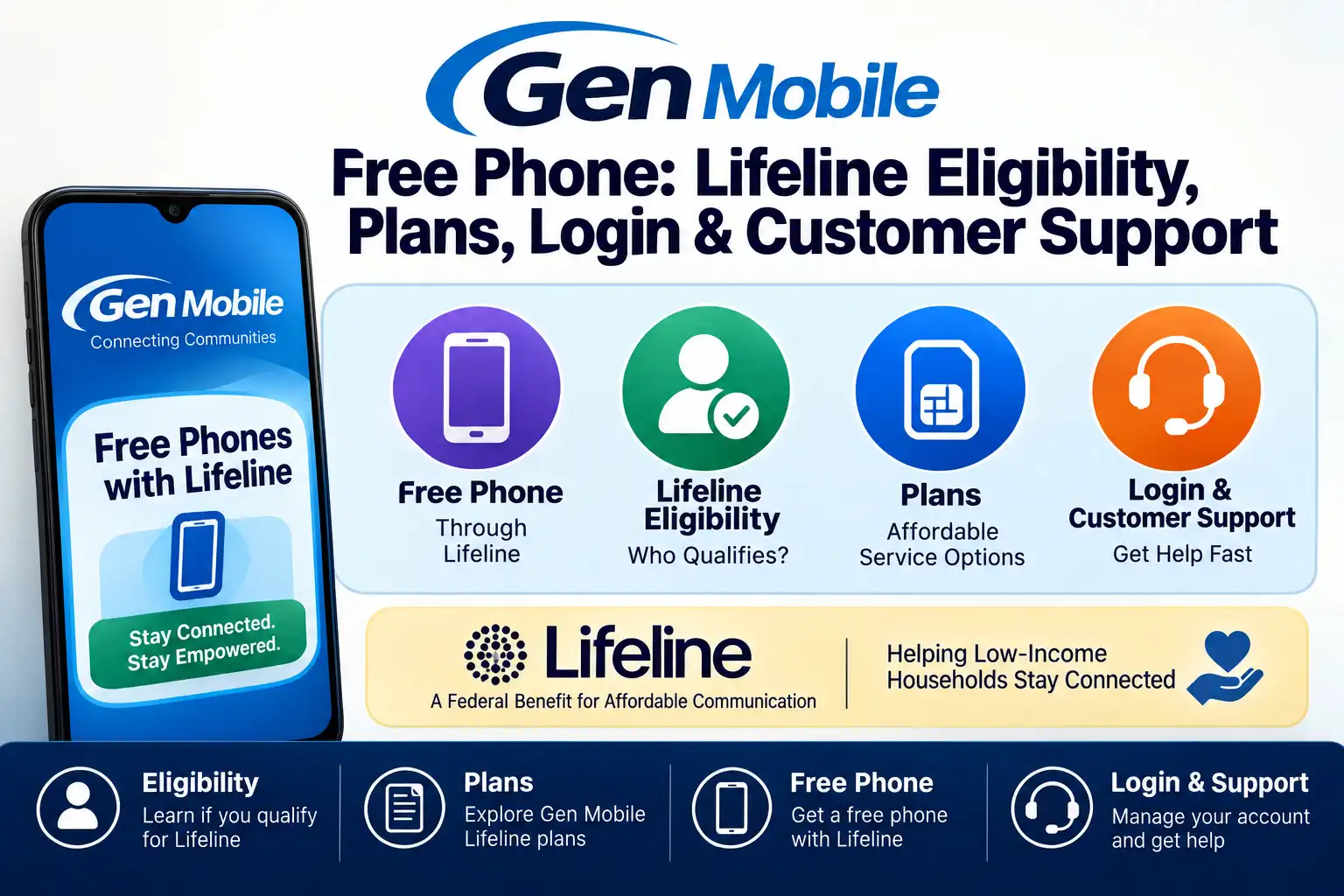
Gen Mobile is another hope for people qualifying with Lifeline to stay connected with free or low-cost wireless service. While it’s free, their name is less common which makes many people doubt whether they are truly offering free phones.
So we will clearly tell you about whether it’s free, what plans it offers and how to apply in this guide. This is not another guide but backed with real responses from Gen Mobile employees. Our team actually reached out to Chloe Fisher (Marketing Analyst at Gen Mobile) and Louis Lupinacci (Sales Operations Manager at Gen Mobile).
We got up-to-date guidance on application status, activation and number transfers so you get your Gen Mobile service running smoothly. This complete guide covers Gen Mobile free phone 2026, including eligibility, plans, applications and customer help.
You’ll learn who qualifies and what phones and plans are available. This will also help you to apply and how to manage your account after approval. So you can actually decide whether Gen Mobile is the right Lifeline provider for your needs by the end.
Is Gen Mobile providing free phones in 2026?
Yes, Gen Mobile offers free phones through the Lifeline program only if you meet the eligibility requirements, Chloe confirmed. The program helps eligible customers access affordable wireless service with free or discounted options in available states. The phone model and available benefits vary based on your location and current device availability.
Is the service really free?
Yes, Gen Mobile Lifeline service is free for eligible customers. You will receive free monthly talk, text and data if you qualify and in some areas, a free phone also be available. The exact benefits depend on your state and the Lifeline plan offered in your area.
Who qualifies for Gen Mobile Lifeline?
You can qualify for the Gen Mobile Lifeline program in two ways. The first is by participating in a qualifying government assistance program. The second is by meeting the household income limit based on the Federal Poverty Guidelines. Lifeline allows one discount per qualifying household. You need to use it at least once every 30 days to keep your service active.
Government Assistance Program
You need to provide proof that you are enrolled in one of these programs when you apply.
- Medicaid
- SNAP (Food Stamps)
- Supplemental Security Income (SSI) and others.
2. Household Income
You can qualify based on your income if your household earns no more than 135% of the Federal Poverty Guidelines. The required income level changes depending on how many people are in your household and your state.
Check the table below to see the 2026 Lifeline income limits for your household size. Meeting these income requirements can help you qualify for Gen Mobile Lifeline benefits.
| Household Size | 48 States, DC & Territories | Alaska | Hawaii |
| 1 | $15,960 | $19,950 | $18,360 |
| 2 | $21,640 | $27,050 | $24,890 |
| 3 | $27,320 | $34,150 | $31,420 |
| 4 | $33,000 | $41,250 | $37,950 |
| 5 | $38,680 | $48,350 | $44,480 |
| Each additional person | +$5,680 | +$7,100 | +$6,530 |
You can also check the household limit from their official website.
Gen Mobile Free Phone 2026
Gen Mobile offers a selection of smartphones for new and existing customers. The phones you receive through the Lifeline program depend on your state, eligibility and current inventory. If a free device is not available in your area then you have the option to purchase an affordable phone through the Gen Mobile online store.
Gen Mobile offers a range of phones, from simple Android devices to advanced 5G phones and renewed iPhones. Their prices and availability change over time so the device you receive can differ from the examples below.
| Phone | Starting Price | Features | Network | Operating System | Best For |
| Hot Pepper Fresno | $49 | 32GB, Large display, Android smartphone | 4G LTE | Android | Budget everyday use |
| Maxwest Nitro A65 | $49 | 32GB storage, 6.5-inch HD+ screen, 8MP camera, Face Unlock, and fingerprint security. | 4G LTE | Android 13 | Large display and daily tasks |
| NUU N21 | $49 | Features 32GB storage, a 6.5-inch HD+ screen, 13MP camera, face recognition and extra storage. | 4G LTE | Android 15 | Affordable smartphone |
| Hot Pepper Cascabel | $49 | Features 32GB,6.5-inch HD+ display, 8MP camera, 4,000mAh battery and fingerprint sensor. | 4G LTE | Android 13 | Streaming and browsing |
| BLU G35 | $49 | 32GB, 6.5-inch HD+ display, Android 14, Face Unlock with Dual SIM. | 4G LTE | Android 14 | Everyday communication |
| Motorola Moto G 5G | $89 | 64GB, 48MP camera, 120Hz display, Dolby Atmos, 5,000mAh battery. | 5G | Android 13 | Faster speeds and better performance |
| Samsung Galaxy A14 | $109 | 64GB, 50MP camera, 5,000mAh battery, fingerprint sensor with Face Unlock. | 5G | Android 13 | Long battery life and 5G |
| Apple iPhone SE (2nd Gen) | $139 | 64GB, A13 Bionic chip, Touch ID, wireless charging, 4K video. | 4G LTE | iOS 13 | Compact iPhone experience |
| Apple iPhone 12 | $249 | Comes with 64GB space, a Super Retina XDR display, Face ID, MagSafe features and a dual 12MP camera setup. | 5G | iOS | Premium features at a lower price |
| Apple iPhone 13 | $315 | 128GB, A15 Bionic chip, Super Retina XDR display, Face ID, Dolby Atmos. | 5G | iOS | Best overall performance |
Device options can change based on availability and current stock. The above mentioned phones are available as of 7 August 2026. You can compare the current phone options or visit the official Gen Mobile phone store for the latest devices.
What Plans Does Gen Mobile Offer?
Gen Mobile offers prepaid plans with different data options and you can choose one that fits your budget and monthly usage. You can sign up for a 1, 3, 6 or 12-month plan with longer terms offering bigger savings. Louis shared that selected plans offer hotspot data so you can share your mobile connection with other devices on the go.
The table below compares Gen Mobile’s current prepaid plans and pricing.
| Data Plan | 1 Month | 3 Months | 6 Months | 12 Months | Hotspot |
| 2GB | $10/mo. | $10/mo. ($30 total) | $10/mo. ($60 total) | $10/mo. ($120 total) | Not included |
| 8GB | $20/mo. | $18/mo. (10% off) | $17/mo. (15% off) | $16/mo. (20% off) | Up to 5GB |
| 15GB | $30/mo. | $27/mo. (10% off) | $26/mo. (15% off) | $24/mo. (20% off) | Up to 10GB |
| 25GB | $40/mo. | $36/mo. (10% off) | $34/mo. (15% off) | $32/mo. (20% off) | Up to 10GB |
| Unlimited | $50/mo. | $43/mo. (15% off) | $40/mo. (20% off) | $38/mo. (25% off) | Up to 10GB (45GB high-speed, then up to 512 Kbps) |
Longer plan terms offer lower monthly prices. New online customers also qualify for free activation when purchasing an eligible 3-month plan.
What should I do if I use all my data before my plan renews?
Once you use all of your monthly data then the speed will be reduced until your next monthly billing cycle begins. If you need more high-speed data then you can purchase a data add-on through the MyGenMobile app or by your online account. Data add-ons start at $5 for 1GB and $10 for 3GB of additional 5G high-speed data.
How Is Gen Mobile Different From Other Providers?
Gen Mobile focuses on making wireless service more affordable and easier to access for eligible customers as per Chloe. It brings together Lifeline benefits, flexible plans and useful features to help you stay connected.
Key differences include:
- Lifeline approved for eligible households.
- Nationwide coverage across the U.S., Alaska and Hawaii.
- 5G options for compatible devices.
- Easy enrollment online or through agents.
- Flexible prepaid plans after Lifeline eligibility ends.
- International calling to stay connected globally.
- Phone upgrades with multiple device choices.
- Hotspot access on eligible plans.
- Affordable connectivity for more communities.
Which cellular network does Gen Mobile use for its Lifeline coverage?
Gen Mobile partners with major 5G and 4G LTE networks to provide reliable nationwide coverage. This helps customers get reliable calls, fast data and wide coverage in many areas. You can check local coverage by entering your ZIP code on the Gen Mobile coverage map.
Can I use my own SIM card?
Yes, you will be able to use your own SIM card with Gen Mobile if it is compatible with the service. Your device must meet Gen Mobile’s requirements and support the correct network settings Louis added. Check your phone and SIM compatibility before switching to ensure smooth activation and service.
Can I use my own unlocked phone with a Gen Mobile Lifeline SIM card?
Yes, Gen Mobile allows you to use your own unlocked device if it works with supported 5G or LTE networks. You can request a free SIM kit instead of a new phone during the application process. Check your phone’s compatibility on the Gen Mobile website using its 15-digit IMEI number before applying.
How Can I transfer my Lifeline benefit to Gen Mobile from another phone carrier?
Yes, you can transfer your Lifeline benefit from another provider to Gen Mobile without losing your current phone number. Submit a transfer request through the Gen Mobile website and provide your National Verifier and existing account details. Most transfers are completed within 24 to 48 hours and your previous Lifeline service will end once the transfer is complete.
What information is needed to transfer?
You need your current phone number, your existing Lifeline account information and your National Verifier details to transfer your Lifeline benefit to Gen Mobile. Make sure the information matches your current Lifeline records.
When is recertification required and what happens if it is missed?
You must complete Lifeline recertification every 12 months to keep your Gen Mobile Lifeline service active. During recertification, you need to confirm that you qualify for the program based on your household income or participation in a qualifying government assistance program. Gen Mobile or the National Lifeline Accountability Database (NLAD) will notify you when it is time to renew your eligibility.
It is important to complete the process before the deadline. If you miss the recertification date or do not respond to the notice then your Lifeline benefit will end and your Gen Mobile Lifeline service will be disconnected. Then you must complete a new Lifeline application and qualify again before you can receive the benefit.
How Do I Replace a Lost Phone?
If your Gen Mobile phone is lost, stolen or damaged then contact Gen Mobile quickly to secure your account. The support team can help report the issue and guide you through replacement options.
You can replace your phone by following these steps:
- Contact Gen Mobile Customer Care to report the lost or stolen phone.
- Ask for a replacement phone or SIM card.
- Review and confirm your account information for verification.
- Pay any applicable replacement fee.
- Wait for your replacement device or SIM card to arrive.
- Activate the replacement phone and restore your service.
Does Gen Mobile Offer Phone Upgrade Options?
Yes, Gen Mobile offers phone upgrade options for customers who want a newer device. You can choose from a range of affordable smartphones including Android phones and renewed iPhones while keeping your Gen Mobile service. Contact Gen Mobile Customer Care or visit the official Gen Mobile phone store for upgrade details, available devices and pricing.
How to Apply for a Gen Mobile Free Phone
Applying for a Gen Mobile free phone is simple. By the following steps you can complete your application.
- Check your eligibility: Make sure you are eligible by joining a qualifying government program or meeting the Lifeline income limits.
- Go to the Gen Mobile Lifeline Application Page: Visit the official Gen Mobile Lifeline website and enter your ZIP code. Ensure your area is covered before starting your Lifeline application.
- Fill the Form: Enter all your information. Use the same details shown on your official documents to help avoid processing delays.
- Upload the Required Documents:Provide your government ID along with proof of eligibility.If you meet Lifeline requirements through income then provide the necessary income documents. If you qualify through a government program then upload proof of participation if requested.
- Submit the application: Submit your application after reviewing all details for accuracy.
- Wait for Approval: Gen Mobile will review your application and verify your eligibility. You can log in to your account to check your application status.
- Receive Your Phone or SIM Kit: Gen Mobile will ship your free phone if one is available in your area after approval of your application. If you choose the Bring Your Own Device option then you will receive a free SIM kit.
- Activate Your Service: Follow the activation instructions included in the package. After activation, you can start using your Gen Mobile Lifeline service including your monthly talk, text and data benefits.
How do I log into my Gen Mobile account to manage my service?
You can log in to your Gen Mobile account through the official website or the MyGenMobile app. Sign in with your phone number or account email and your password. After logging in, you can check your data usage, renew your plan and buy extra data if needed.
How to Activate Your Phone
Activating your Gen Mobile phone is quick and it only takes a few minutes. Make sure you have your SIM card and account information with you before you begin.
- Insert your Gen Mobile SIM card into your compatible phone.
- Make sure you use the correct SIM card size.
- Call Gen Mobile Customer Care to activate your service.
- Follow the support team’s instructions.
- Restart your phone after activation.
What is the fastest way to contact Gen Mobile customer service if I have an issue?
The fastest way to reach Gen Mobile customer service is to dial 611 from your Gen Mobile phone or call 1-833-528-1380. You can also use the live chat feature on the Gen Mobile website or email support@genmobile.com for help. Customer support is available every day to assist with activation, account questions and service issues.
Conclusion
Gen Mobile makes it easier for eligible households to stay connected. You can receive free or discounted wireless service if you qualify for the Lifeline program. You can also choose from compatible phones, transfer your current number and use your own unlocked device with a free SIM kit.
Take a few minutes to check your eligibility, compare the available plans and phones and complete your application. Once your service is active then you can enjoy reliable wireless service without putting extra pressure on your budget.
FAQs
Can I buy extra data with Gen Mobile?
Yes. You can purchase additional data through your account or the MyGenMobile app if you use all of your monthly high-speed data.
Can I pay my Gen Mobile bill online?
Yes. You can pay your bill through your Gen Mobile online account or the MyGenMobile app.
Does Gen Mobile offer international calling?
Yes. Many Gen Mobile plans allow you to stay connected with family and friends in supported countries.