
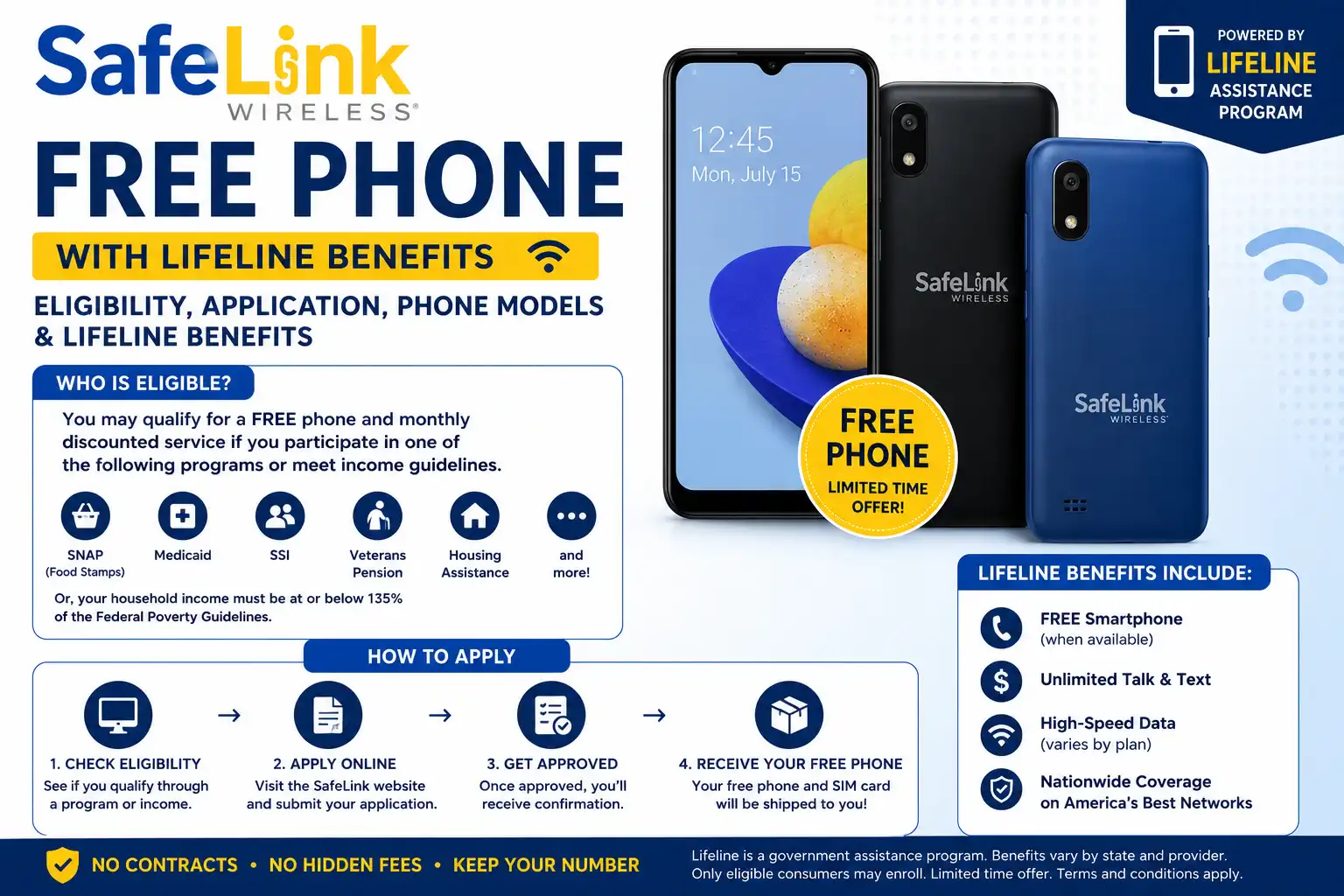
SafeLink Wireless does offer free phones to qualifying customers through the Lifeline program. You have to qualify the Lifeline requirements to get this free phone along with unlimited data or talk. However, the model of the phone is not always guaranteed. The device depends on your state, available inventory and selected plan.
Some customers receive smartphones while others may receive a basic phone or only a SIM card if they already own a compatible device. We have called the customer support of SafeLink at (1-800-723-3546) to confirm if they actually offer phones and requirements. So this guide has everything you need to know about the SafeLink Wireless including eligibility requirements, phone models and how to apply.
Who Qualifies for a SafeLink Free Phone?
You may qualify for free phone if you meet any of these criteria:
1. Government Program Eligibility
You may qualify if you or someone in your household participates in programs such as:
- SNAP (Food Stamps)
- Medicaid
- Supplemental Security Income (SSI)
- Federal Public Housing Assistance
- Section 8 housing assistance
- WIC
- Veterans Pension or Survivors Benefits
- Free or Reduced School Lunch or Breakfast Programs
2. Income Based Eligibility
You may also qualify if your household income is at or below 135% of the Federal Poverty Guidelines. The income limit depends on:
- Your household size
- Your state
- Current federal guidelines
Other requirements include:
- Only one Lifeline benefit per household
- A valid physical address is required
- Applicants generally need to be 18 years old or older or have qualifying documentation
Can You Use Your Own Phone With SafeLink?
Yes. SafeLink offers a Bring Your Own Phone (BYOP) option. If you already have an unlocked or compatible phone then you can keep using it. Plus, you may receive a free SafeLink SIM card instead of getting a new device. This option is often faster because you do not have to wait for a phone shipment.
What Free Phone Models Does SafeLink Provide?
Many people expect a brand-new iPhone or premium Samsung Galaxy phone when they hear “free phone.” However, SafeLink’s free devices are usually affordable smartphones designed for everyday use. Common SafeLink phone models may include:
| Phone Model | Type | Details |
| Motorola Moto G Pure / Moto G Series | Budget Android smartphone | Usually offers around 32GB storage and 3GB RAM |
| TCL A30 / A507DL | Entry level Android phone | Affordable smartphone option with basic features |
| Samsung Galaxy A Series | Budget Android smartphone | Availability depends on state and stock |
| Basic flip phone | Simple mobile phone | Designed mainly for calls and texts |
| Your own unlocked phone (BYOP) | Existing device | SafeLink provides a SIM card instead of a phone |
Phone availability changes frequently. So a model available in one state may not be available in another. If you specifically want a smartphone then check SafeLink’s current options before completing your application.
You can explore the available plans in your region for free smartphone and BYOD here.
What are the Lifeline Benefits from SafeLink Wireless?
SafeLink’s Lifeline plans provide essential mobile services without a monthly bill for eligible customers. The exact benefits depend on your state but most plans include:
- Unlimited Talk and Text: Stay connected with family, friends and important services. SafeLink is currently offering FREE unlimited talk and data to new customers. You just have to add your ZIP code to see if it’s available in your region so check here.
- High-Speed Data: Many plans include around 10GB of monthly high speed data while some locations may offer more.
- Reduced Speeds After Data Limits: The data speeds may slow down if it’s close to its limit. This is usually enough for messaging and basic browsing but may not support smooth video streaming.
- Hotspot Access: Some state plans include mobile hotspot data.
- Additional Data Options: Customers may purchase extra data if they need more.
Because SafeLink Lifeline service is prepaid so customers do not receive unexpected monthly bills. You only pay if you choose optional upgrades or extra services.
How to Apply for a SafeLink Wireless Free Phone
Applying for SafeLink is simple and can usually be completed online. Here is step by step process to apply for:
- Visit the SafeLink Website: Go to the official SafeLink Wireless website and enter your ZIP code to check availability in your area.
- Provide Your Information: You may need to provide:
-
- Full name
- Date of birth
- Contact information
- Last four digits of your Social Security number
- Home address
- Verify Your Eligibility:Choose whether you qualify through a government assistance program or on the basis of your household income.
- Upload Required Documents: You may need documents such as:
-
- Government-issued ID
- Proof of address, program participation
- Proof of income
- Submit Your Application: Review your information and then complete the electronic signature and submit your application. Your details are reviewed through the National Verifier system to confirm eligibility.
- Receive Your Phone: SafeLink processes your order and ships your device after approval. Delivery times can vary but many customers receive their phone within a few business days.
Be careful of fake websites pretending to offer free phones. Some websites may collect personal information without providing Lifeline services.
Conclusion
SafeLink Wireless helps eligible low income households stay connected by providing free phone service or free smartphones through the Lifeline program. While you should not expect a high end flagship phone. These devices are usually enough for everyday needs like calling, texting and browsing.
If you already own an unlocked phone then the BYOP option may be the quickest way to start service. Apart from phones, you can also enjoy their free monthly data and text offers as listed on their site.
FAQs
What phone does SafeLink actually send if I go with the free option?
Usually a budget Android like the Moto G Pure or a TCL model not an iPhone. If you want a specific phone then BYOP with your own unlocked device is the more reliable route.
Can I keep my old phone and just get the SIM instead of the free phone?
Yes, if your phone is unlocked and GSM compatible then choose the BYOP option and SafeLink sends you a free SIM card instead of a device.
Why does my data slow down before the month ends?
Once you hit your monthly high speed data cap (commonly 10 GB) then speeds drop to 2G for the rest of the cycle. It’s normal, not a bug or an account issue.
Can I upgrade my free SafeLink phone later?
Yes, usually after about 12 months of service you can upgrade your phone but SafeLink typically charges a small upgrade fee rather than giving a second phone for free.