
It feels like we are chasing a legend, can’t we? The idea of getting a free government iPhone has been floating around here for years, and we still hear echoes of it in 2026. It feels like you are hunting a unicorn in the world of rising costs. It just has this magical ring to it, right? Who wouldn’t get a little excited about something that sounds too good to be true? This is where many people get tripped up. We will peel
So, what’s the real story in 2026?
The question is, how do you sift through the hype and figure out what is actually real? We will tell you everything you need to know about getting a free iPhone on the Lifeline program in 2026. And better yet, how can you get your hands on one of these exclusive government iPhones?
We dig into what’s genuine, what’s not, and share some tips on how to turn your dream of a free iPhone into a reality.
It’s time to separate fact from fiction!
2026 reality check!
There is no official program that provides free iPhones. What exists is the Federal Communications Commission (FCC) Lifeline program, which is a government-backed initiative designed to help low-income households stay connected.
The term free iPhone is primarily a marketing tactic used by private companies. Here’s how things actually works:
- The Lifeline Program: A federal initiative that provides a monthly subsidy for telecommunications.
- The Providers: Companies like AirTalk or Cintex receive that subsidy to provide you with service.
- The Incentive: To get you to sign up with them instead of a competitor, these providers offer a free device, which, in 2026, often includes older or refurbished iPhone models.
The government pays for the signal. The provider pays for the silicon.
And that’s the game.
Now the Question is, do you qualify?
The rules are actually quite simple, once you watch it closely. Most people who need this assistance qualify; they are already halfway there. Let me simplify this for you. You can be eligible if any of the following apply to you:
- Income-Based
If your household income is at or below 135% of the Federal Poverty Level. For a single-person household in the contiguous U.S., this means earning about $21,546 a year, or roughly $1,795 a month.
- Program-Based
You (or someone in your household) are enrolled in any of these programs:
- SNAP (often called food stamps or EBT)
- Medicaid
- Supplemental Security Income or SSI
- Federal Public Housing Assistance(FPHA)
- Veterans Pension
- Tribal assistance programs
The program generally benefits one per household. So if someone in your home already has it, you can’t sign up. But, if people living together have their own income or don’t share expenses, there might be some flexibility about this. Don’t hesitate to check your options!
Top providers who are offering free iPhones
Here’s where things get interesting!
Not every provider has an iPhone waiting in the wings, so choosing the right partner is the key. The deals can really vary from state to state. Plus, the inventory is always changing, so you can’t always expect the same selections each time you check.
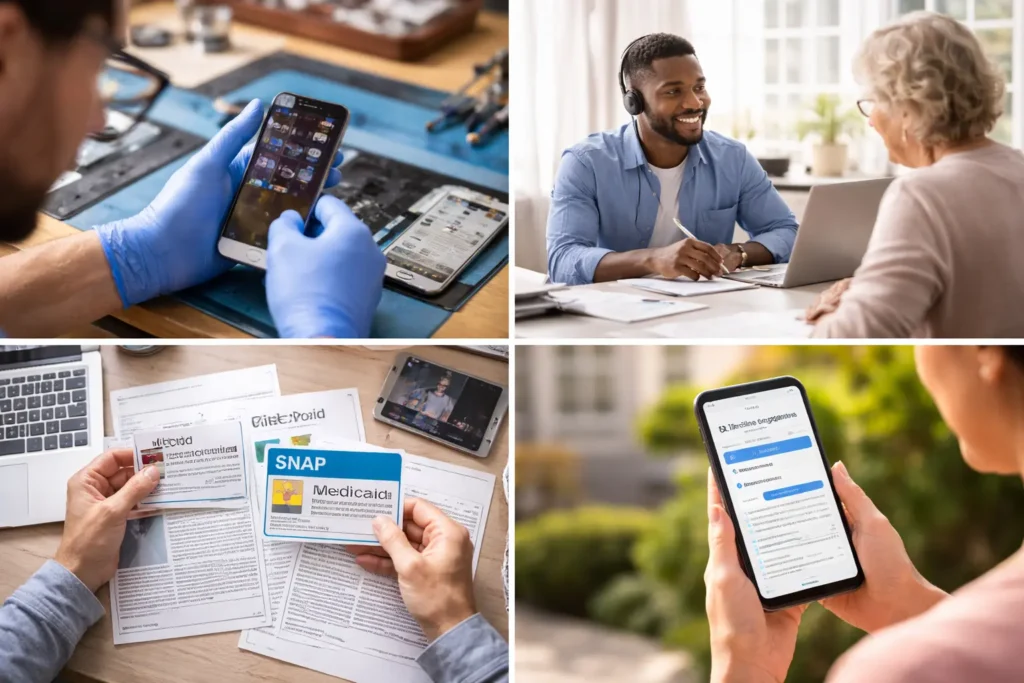
It’s not a scam but a legit scheme.
A bunch of major wireless carriers are part of the Lifeline program. You might recognize some of the more popular providers like Assurance Wireless and SafeLink Wireless, both of which are TracFone brands that use the T-Mobile network. Then there’s Access Wireless, which operates on various networks, as well as QLink Wireless, TruConnect, StandUp Wireless, TAG Mobile, and AirTalk/Cintex Wireless. They usually provide nationwide coverage through AT&T, Verizon, or T-Mobile.
Provider Comparison Table
| Provider | Network | iPhone Availability | Reality Check |
| AirTalk Wireless | AT&T | High | One of the most consistent iPhone providers |
| Cintex Wireless | AT&T | High | Similar inventory to AirTalk |
| Q Link Wireless | T-Mobile | Medium | iPhones appear occasionally |
| SafeLink Wireless | Verizon/T-Mobile | Low–Medium | Mostly Android |
| Assurance Wireless | T-Mobile | Low | Rare iPhone availability |
| TruConnect | Multiple | Low | Focus on service, not devices |
| StandUp Wireless | T-Mobile | Low | Limited device variety |
| TAG Mobile | AT&T | Medium | iPhones are often upgraded |
The promised hype is a social media lie.
What they say:
- Get iPhone 14 free instantly.
- All applicants receive premium iPhones.
What they don’t tell:
- Inventory is limited
- Devices are refurbished
- Approval doesn’t mean a guaranteed iPhone.
The real answer is;
You’re entering a lottery based on stock, location, and timing.
State-Specific Availability
The location changes everything. Not all states are created equal in this game.
Availability Snapshot:
| State | Provider Density | iPhone Chances |
| California | Very HighSafeLink, Assurance | Best oddsDue to a large population. |
| Texas | HighTAG Mobile, SafeLink | Strong availabilityMajor providers are active here. |
| Florida | HighQ Link, Cintex | Competitive offers |
| New York | HighAirTalk, TruConnect | Good varietyEspecially in urban areas |
| Rural States (e.g., Wyoming, Alaska) | Low | Limited optionsAlways check ZIP code eligibility first |
What it actually means to you is;
More providers = more competition = better chances of an iPhone
But mostly in rural areas, you’re most likely to get a basic smartphone.
Tip: When you visit a provider’s website, look for a box to check your ZIP code or check availability. Do this first before filling out a long application.
The expectations: New vs. New to You
If you are expecting a brand-new iPhone 17 Pro Max to arrive in a vacuum-sealed box, then prepare for a letdown.
That’s not what this program is for. Instead, you’re likely to see offers for rock-solid, dependable older models that still work great.
To make the math work for the providers, the devices are almost exclusively Certified Refurbished.
What you’ll likely receive:
- iPhone 11 or 12: These are the workhorses of the program in 2026.
- iPhone 13: Occasionally available as a limited-time promotional offer.
- iPhone 14+: Usually requires a one-time upgrade fee (around $100–$200).
What is Certified Refurbished?
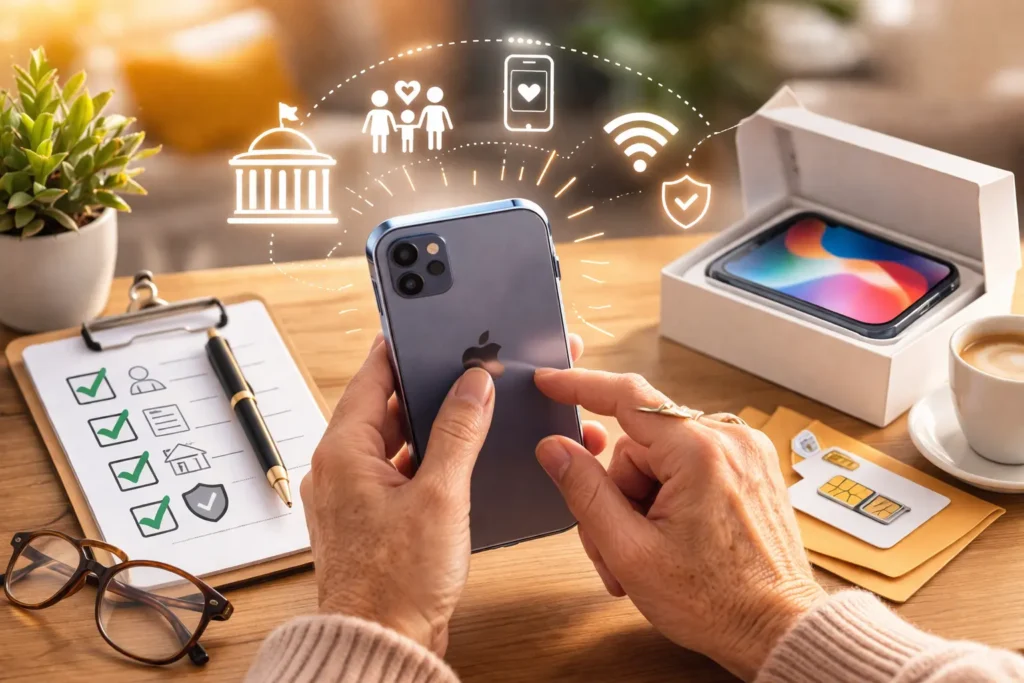
Most of the iPhones offered are certified refurbished. Please don’t let that word scare you. This is actually a good thing!
Certified Refurbished means:
They are free used iPhones, but
- A professional has thoroughly inspected the phone.
- They’ve run diagnostic tests to make sure everything works.
- They’ve replaced the battery if it was old.
- They’ve cleaned it up and made sure the screen has no scratches.
- It comes with a warranty, so if something goes wrong, you’re covered.
It essentially looks like a new phone without the high price tag. Many people prefer refurbished phones because they are a smarter, more sustainable choice.
iPhone Comparison: What You’re Really Getting
| Model | Performance | 5G | Best For |
| iPhone 11 | Reliable | No | Basic use |
| iPhone 12 | Strong | Yes | Everyday performance |
| iPhone 13 | Faster | Yes | Heavy users |
| iPhone 14 | Premium | Yes | Paid upgrades |
The iPhone 11 is the top of the line you are likely to see offered for free in 2026. It’s still considered a very modern phone and will receive software updates from Apple for years to come.
But there are still a few old ones offered for basic use especially for elderly ones. Like the iPhone 5, iPhone 6, and iPhone 7 and iPhone 8 perfectly fine for FaceTime, news, and Words with Friends. They reassure everyone that it feels modern enough.
iPhone Models on Lifeline (2026)
| iPhone Model | Screen Size & Feel | Best Feature | Good For… | 2026 Suitability |
| iPhone 5s | Very Small (4″) | Lightweight, Home Button | Pure calls & texts | Limited (Apps struggle) |
| iPhone 6/6s | Medium (4.7″) | 6s has great performance | Simple email, music | Okay (6s is better) |
| iPhone 6/6s Plus | Large (5.5″) | Big screen for eyesight | Reading, larger buttons | Okay (Good for vision) |
| iPhone 7/7 Plus | Medium/Large | Water-resistant | Worry-free daily use | Good (Dependable) |
| iPhone 8/8 Plus | Medium/Large | Home Button, Wireless Charging | Traditionalists, ease of use | Excellent (Very common) |
| iPhone X | Medium (5.8″) | Beautiful OLED Screen | Watching videos, modern design | Good (Learning curve) |
| iPhone XR | Large (6.1″) | Incredible Battery Life | All-day use, seniors, durability | Best in Show |
| iPhone 11 | Large (6.1″) | Dual-Lens Camera | Photography, grandkid pics | Excellent (Top tier) |
The 7-Step application process:
- Verify First: Go to the National Verifier to get your official government approval.
Essentially check;
- Your ID: A driver’s license, state ID, or passport.
- Proof of Eligibility: Your benefit award letter (like for SNAP or Medicaid) OR proof of income (like pay stubs or a tax return).
- Proof of Address: A recent utility bill or lease agreement
- Shop providers: Don’t just pick the first ad you see. Check AirTalk or Cintex specifically for iPhone inventory. Don’t forget to visit their website and enter your ZIP code to make sure they offer service where you live.
- Gather paperwork: Have all digital copies of your documents. Your ID and proof of benefits (such as a SNAP award letter) are ready.
- Fill out the application: You’ll complete an online form. It will ask for your name, date of birth, and the last four digits of your Social Security number. This is how they check your eligibility through the government’s secure system, called the National Verifier
- Upload your documents: If the system can’t automatically verify you, you’ll be asked to upload the documents you gathered in Step 1. Don’t worry, the websites make this easy; it’s like attaching a photo to an email.
- Remember to use the provider’s website directly.
- Watch your Email: If they need a clearer photo of your ID, they’ll ask here. Don’t ignore it.
- The waiting game: Approval takes 1–4 days; shipping takes another 3–7.
- Annual recertification: Mark your calendar. If you don’t prove you’re still eligible every year, the service gets cut off.
Transparency is important for trust building
The important thing is to build trust, which means you need to be honest about all the details.
- The government subsidy pays for the service, not the phone. The provider is giving you the phone for free to welcome you as a customer. They are a business, and this is how they get customers. It’s a win-win!
- iPhone availability is like finding a treasure. Sometimes they have amazing things, sometimes they don’t. If a provider is out of iPhones when you apply, they will send you a very nice Android phone instead. You can always reapply or check back later.
- As mentioned above. To keep your free service, you must prove you’re still eligible each year. Your provider will send you a reminder. It’s important to respond, or your service could be shut off.
- There is no contract! You aren’t locked in. If you’re unhappy, you can switch providers (as long as you give up that phone and only one person in your home uses the benefit).
Red Flags:
The Free iPhone space is crawling with predatory sites. Remember these three “Nevers”:
- NEVER pay for the application. The application is free.
- NEVER give your SSN to a site that doesn’t have the Official Lifeline or USAC logo.
- NEVER believe a TikTok that says “Everyone gets a free iPhone 16.” It’s clickbait.
BOYP or Phone replacement
Which one works better for you?
Whether you get it from your family members or already own it. Or may be its broken it can be replaced. Lets dig bit deep to look for the answers of queries you are looking for;
Is Your iPhone compatible?
Before you get too excited, we need to check if your phone will work. It’s like making sure a key fits a lock. Here are the simple things to check.
- Is it unlocked?
Some phones are locked to a specific company. If your iPhone was made for a different provider, it might not work with your new Lifeline service. You can check this in your phone’s settings or call your current provider to ask if it’s unlocked.
- Does it support the right network?
Your iPhone needs to support updated calling features, especially something called VoLTE (which stands for Voice over LTE). In simple terms, this just means your phone can make clear calls over the 4 or 5G network. Most iPhones from the iPhone 6s and newer support this.
- Check the IMEI Number
Every phone has a unique ID number called an IMEI. You can find it by dialing *#06# on your keypad, or by looking in Settings > General > About. When you apply for Lifeline service, the provider will ask for this number to run a quick IMEI check to make sure your phone will work on their network .
How to Use BYOP
If you want to bring your own phone, here is the simple path:
- When you apply with a provider (like TAG Mobile, SafeLink, or EASY Wireless), look for the option that says “Bring Your Own Phone” or “Use my own device” .
- The provider will check if your phone is compatible using the IMEI number.
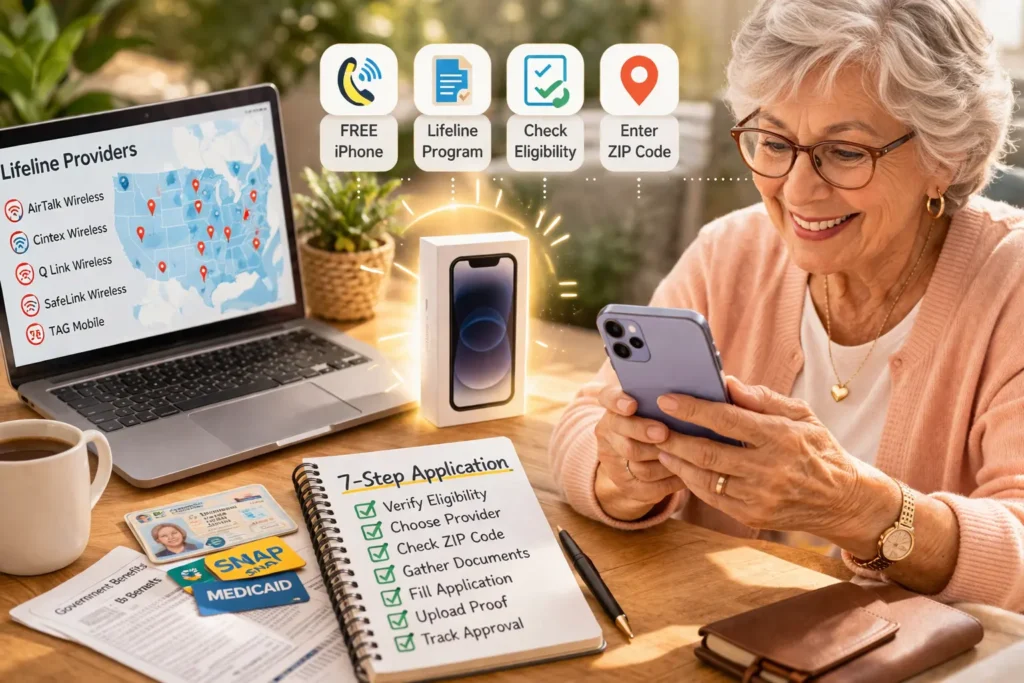
- If it is, they will mail you a free SIM card .
- You follow the simple instructions to put the SIM card in your phone, and your free service begins!
This is a wonderful option because you get to keep your familiar phone, your photos, and your settings, while still enjoying the free monthly plan.
Phone Replacement: What to do If your iPhone is lost, stolen, or broken?
Life happens. Phones get dropped. Purses get lost. It’s a stressful feeling, but please know that all is not lost. There is a path forward.
The first and most important thing to understand is the difference between an Upgrade and a Replacement, because they are handled very differently .
- Upgrade: You want a newer, better phone, but your current one still works fine.
- Replacement: Your current phone is broken, lost, or stolen. You need help getting a working phone again.
If your phone is damaged or missing, you need to use the replacement path.
Here is a step-by-step guide to how replacement works for you:
Step 1: Act Quickly and report the issue
If your phone is lost or stolen, the first thing you should do is contact your provider to suspend the service temporarily. This prevents anyone else from using your minutes or data .
Then, log into your provider’s app or website (or call them) and report that you need a replacement. Be honest about what happened whether it was an accident, a theft, or it just stopped working.
Step 2: Understand the costs (The deductible)
Here is an important thing to know: because the phone was given to you for free, replacing it is often not free. Providers usually charge a small fee called a deductible to send you a replacement phone. This is much like insurance; it covers the cost of shipping and processing the new device.
The amount varies by provider, but it is usually much less than buying a new phone. They will tell you the exact cost before they send it.
Step 3: Provide any required information
Depending on the situation, the provider might ask for:
- If stolen: A police report number (some providers require this) .
- If lost: Confirmation of your address to ship the new one.
- If broken: Sometimes they just take your word for it, but they may ask you to return the broken phone.
Step 4: Know what iPhone you’ll get
When you file a replacement claim, do not expect to get a brand new, better model. The provider will typically send you the same model you had, or a similar model of equal value .
For example, if you originally received an iPhone XR, they will try to send you another iPhone XR. Sometimes, if they are out of that exact model, they might send you something comparable, like an iPhone 11, but this is not guaranteed.
Important Rules to Remember
- Limit on replacements: Most providers only allow you to replace your phone a certain number of times per year (usually once) . This is to prevent misuse of the program.
- Old iPhone is deactivated: Once a phone is reported lost or stolen, the provider will blacklist its unique IMEI number so it cannot be used on their network again. This protects you from someone else using your old phone
The Bottom Line
Yes, Lifeline phones are totally real and will be available in 2026! There are just a few things you need to know to qualify.
Just remember, by following the right steps and steering clear of any sketchy offers, you can get your hands on a great smartphone at little to no cost. It’s amazing how the Lifeline subsidy can connect eligible households to the world!
I know diving into technology and government benefits can feel a bit like navigating a maze, especially if you’re on a fixed income or dealing with health issues. But don’t worry, you’re not alone, and there’s help out there! The Lifeline program was created because the folks behind it believe everyone deserves to stay connected. A phone isn’t just a luxury; it’s a lifeline to everything and everyone you care about.
If you think you qualify, take a deep breath and follow these steps: Start with a provider like TAG Mobile or SafeLink, check your ZIP code, and gather any necessary documents. Be patient and kind to yourself throughout this process.
And, if you don’t end up with an iPhone, that’s okay! You’ll still receive a reliable smartphone that lets you make calls, see your family on video chat, and gives you the peace of mind that help is just a tap away. And really, that’s what matters most!
FAQ
Can I get a free iPhone from the government in 2026?
Yes, through Lifeline providers, but it’s not guaranteed and depends on inventory.
Is the iPhone brand new?
No, most are certified refurbished devices.
Which iPhone is most commonly offered?
iPhone 11 and iPhone 12.
How long does approval take?
Usually 1–4 business days.
Is the program still active in 2026?
Yes, Lifeline is active, but ACP ended in 2024.
Can I switch providers and keep my phone?
Yes! This is a popular topic. If your phone is unlocked, you can often switch to a different Lifeline provider and just get a new SIM card from them. This is a great way to find a provider with better data plans in your area.
My iPhone 7 broke, and they want a $15 deductible. Is that normal?
Yes, users confirm this is normal. They often share that $10–$20 is a standard replacement fee, which is a huge relief compared to buying a new phone.
They said my phone isn’t compatible with BYOP because it doesn’t support VoLTE.
This is a common frustration. Users gently remind each other that very old phones (like the iPhone 5 and 6) lack this modern calling feature, which is why they get rejected. They suggest checking compatibility before applying to avoid disappointment.